Showing posts with label Browser Tools. Show all posts

Saturday, July 9, 2011

New Firefox 6 Beta Release for Windows, Mac, Linux and Android

After release firefox 5, the latest Mozilla Firefox Beta 6 is now available for download and testing on Windows, Mac, Linux and Android. This release introduces innovative tools to help developers build rich and compelling Web experiences. (blog.mozilla)

New in this release for Windows, Mac and Linux:
  • Add-ons Manager with Plugin Check: Check that your plugins are up-to-date directly from the Add-ons Manager
  • Improved Panorama Groups: Reduces browser startup time by only loading saved tab groups when you use Panorama
  • Improved Address Bar: Highlights the domain name of the website you’re visiting to make it easy to identify where you are online
  • Streamlined site identity block
  • The Scratchpad: Quickly build and test JavaScript snippets in the browser
  • Support for Web Sockets with a prefixed API
  • Moveable Web Console
  • New Web developer-specific menu
  • Window.matchMedia API
  • Support for server-sent events
New in this release for Android:
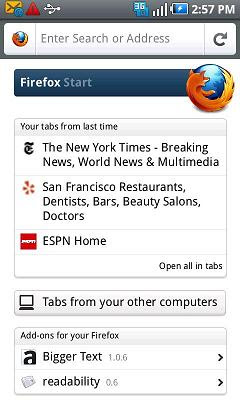
  • New initial experience: Firefox starts faster and uses less memory. Get to your home page quickly and discover browser features on the side panels.
  • Higher-quality image scaling: View crisp Web pages and images with less pixelation
  • Enhanced Firefox experience on large screen tablets
  • Improvements to the form helper on Android
  • Fresh visual style on Gingerbread OS
  • Optimization for pages that use right to left layout rendering, e.g. in Hebrew and Arabic
  • Touch Events for better interaction with Web pages
  • IndexedDB allows Web pages to store data offline for faster access
  • Automatic text hyphenation
Download Mozilla Firefox 6 Beta.

Tuesday, June 21, 2011

Firefox 5 For Android Released

Once present on the desktop, Mozilla has finally released the Firefox 5 for Android. What features are there on this latest browser?

Firefox 5 has some interesting features that did not exist in previous versions. In addition to a more fashionable appearance, performance was improved Javascript processing so that makes it faster when opening a web page. Not satisfied only on the desktop, Mozilla Firefox was released 5 for Android.

Developers at Mozilla claims Firefox 5 faster than tripled compared with Android default browser. Because the merger JIT JaegerMonkey with javascript engine in it are believed to open up web pages faster and better graphics quality.

What’s New in Firefox 5 for Android ?
  • Added Do Not Track privacy feature, enabling users to tell websites if they prefer to opt-out of online behavioral tracking
  • Improved page load speed, especially on 3G networks, and improved overall panning responsiveness
  • Improved compatibility with SwiftKey keyboard
  • Continued growth to mobile add-ons gallery, including over 20 featured add-ons
Firefox 5 is available for Android phones (2.0 and above) and the Nokia N900, to get the latest version of Firefox on your Android device visit Android Market.

Monday, June 13, 2011

Offline Installer Google Chrome 12 Stable Version

The latest stable version of Google Chrome 12 has included lot of new features, enhancements, security updates, improvements and increased stability, such as hardware accelerated 3D CSS and a new Safe Browsing feature.


Other new features and updates, includes:
  • Launch Apps by name from the Omnibox
  • Integrated Sync into new settings pages
  • Improved screen reader support
  • New warning when hitting Command-Q on Mac
  • Removal of Google Gears
Google Chrome 12 Stable is compatible with Windows 7, Vista and XP, Mac and Linux operating systems.

The problem when installing Google Chrome using online installer that you need high speed internet connections to install the software. But if you don't have internet connection or your internet connection has a low speed, you can download the offline installer google chrome to instal in your computer.

Download Google Chrome Offline Installer
Happy browsing...

Friday, June 10, 2011

Stable Google Chrome 12 Final - New Release

The latest version of Google’s web browser, Google Chrome has finally graduated from the beta channel into the stable channel and has been pushed out to Chrome users all over the world. Google has announced its release on the official blog, and Chrome 12 looks to be better than ever. The browser has improved security, privacy, and improved graphics support.


Another new feature available in this build is an experimental new tab page (through about:flags). The new experimental tab page adds a paged navigation for apps which will allow users to scroll through all the installed apps. It looks like it is more geared towards touch interfaces. However, this experimental new tab page is in its infancy stage and does not do much as of now.

Key features of the Google Chrome 12 stable includes:
  • Hardware accelerated 3D CSS.
  • New safe browsing protection against downloading malicious files.
  • Ability to delete Flash cookies from inside Chrome.
  • Launch apps by name from the Omnibox.
  • Integrated sync into new settings pages.
  • Improved screen reader support.
  • New warning when hitting Command-Q on Mac.
  • Removal of Google Gears.
Download Google Chrome 12 Final now. Anda also you can download offline installer for Google Chrome 12 stable version.